
Product details
- Brand
- HP
- Color / finish
- Black
- Product type
- Color inkjet all-in-one printer
Description
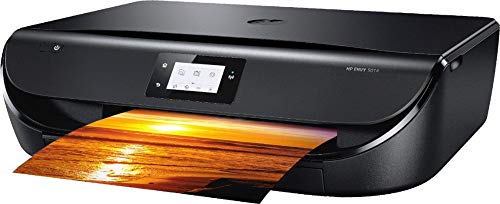
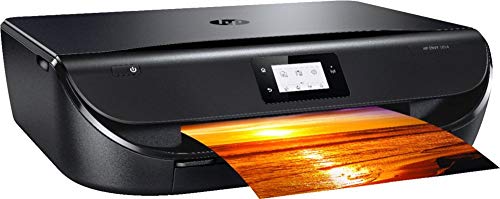
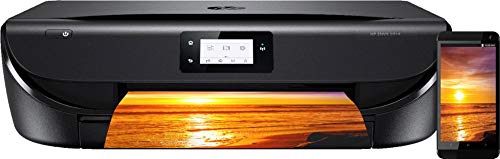
The HP ENVY 5014 combines color printing, flatbed scanning and copying in a low-profile desktop unit. It is a practical format for occasional forms, homework, correspondence and photographs when one compact machine is preferable to separate devices.
Its automatic duplex feature applies to printing: the printer can turn the sheet to print both sides. Scanning is manual on the glass. There is no automatic document feeder, so a stack of originals or a two-sided document must be placed and turned page by page.
Features
- Three functions: Print, scan and copy from one desktop machine.
- Automatic duplex printing: Print on both sides without manually reinserting each sheet.
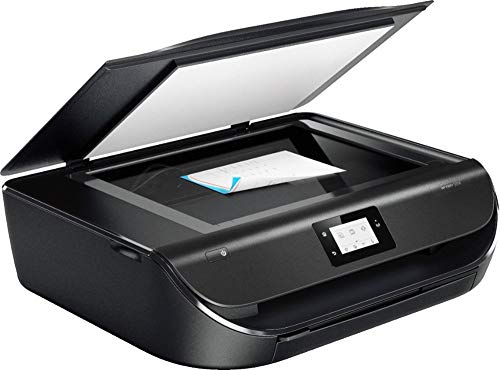
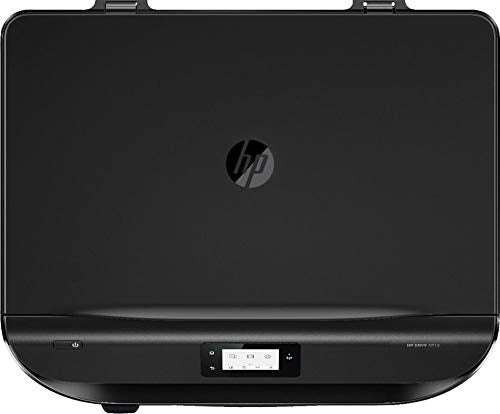
- Flatbed scanner: Place single sheets, photographs or other suitable originals on the scanner glass.
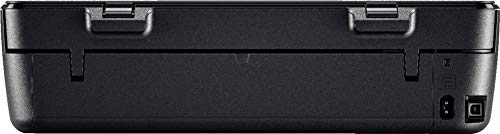
- Wireless or USB: Use dual-band Wi-Fi or a wired USB connection to a compatible device.
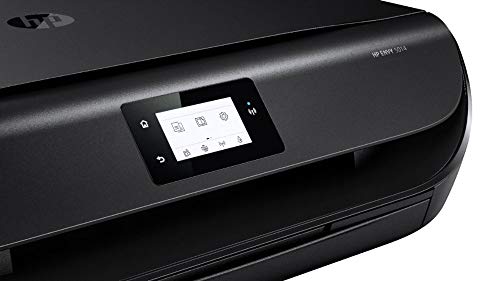
- Touchscreen controls: A 2.2-inch monochrome display handles local settings and common tasks.
- Two-cartridge ink system: Uses separate black and tri-color cartridges; U.S. documentation identifies HP 65 and 65XL.

Specifications
- Black ISO speed
- 10 ppm
- Color ISO speed
- 7 ppm
- Input capacity
- 100 sheets
| Model / product number | HP ENVY 5014 / Z4A61A |
|---|---|
| Functions | Print, copy and flatbed scan |
| ISO print speed | Up to 10 ppm black; 7 ppm color |
| Two-sided operation | Automatic printing; manual placement for scanning |
| Paper handling | 100-sheet input; 25-sheet output |
| Scanner | Flatbed; up to 1200 ppi optical resolution |
| Maximum scan area | 8.5 × 11.69 inches |
| Connectivity | Dual-band Wi-Fi, Wi-Fi Direct and USB 2.0 |
| Approximate closed size | 17.52 W × 14.45 D × 5.04 H inches |
| Approximate weight | 11.93 lb |
| Recommended monthly volume | 100–400 pages, per HP's datasheet |
Print speed varies with document, connection and print settings. HP's recommended volume is a planning guide, not the printer's maximum duty-cycle figure. Ink compatibility is region-specific.
Allow space for paper and scanning
Measure the desk with the output tray extended and leave room above the machine to open the scanner lid. The low closed height does not describe the clearance needed to copy a document.
Closed depth14.45 in
Approximate depth with trays stowedMaximum depth22.22 in
HP's maximum dimensions with trays extendedMatch the printer to your workload
For U.S. units, verify the HP 65 or HP 65XL cartridge label against the supplied printer's region. Do not assume another ENVY model uses the same ink. Current ink-subscription offers, cartridge quantities in the box and included USB cables should be confirmed for this specific offer.
| Occasional letters and forms | Black ink and automatic duplex printing suit everyday paperwork. |
|---|---|
| Color handouts or photos | The tri-color cartridge supplies cyan, magenta and yellow together. |
| Multi-page scanning | Place each page on the glass; choose an ADF-equipped model for frequent stacks. |
| Modern computer or phone | Check HP's current driver and app support for your operating-system version before ordering. |
Common questions
Does the HP ENVY 5014 scan both sides automatically?
No. It automatically prints both sides, but scanning uses a flatbed without an automatic document feeder. Turn the original over to scan its reverse side.
Does it have an Ethernet port or fax?
HP lists USB and wireless connections, not wired Ethernet. The hardware functions are print, copy and scan; it is not a standalone fax machine.
Which ink cartridges does it use?
The U.S. ENVY 5014 datasheet lists HP 65 black and tri-color cartridges, including 65XL options. Confirm the printer's region before purchasing replacements.
Can I print from a phone?
HP lists mobile-printing options including AirPrint and Mopria, as well as Wi-Fi Direct. Check current device, app and network compatibility; older cloud-service names do not guarantee ongoing availability.
Product information & sources
Specifications refer to the ENVY 5014. Software availability, supplied ink and any service offers should be checked for the current unit and region. HP ENVY 5014 specifications and support; HP ENVY 5014 manufacturer datasheet. Reviewed September 2026.
Need help choosing? Contact Eco Home Office. See our shipping details and returns policy.